Development #7133
closedFeature #7131: User Login & Authentication (M01)
Touch Screen Login
100%
Description
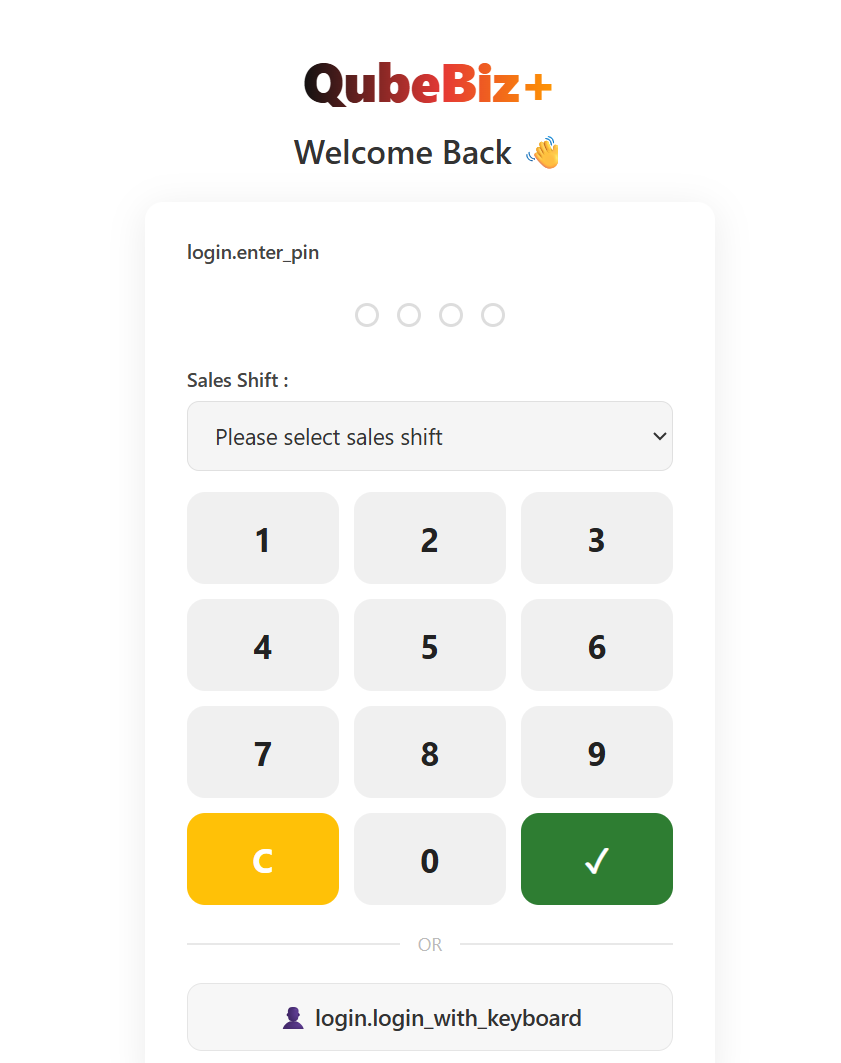
Implement a touch-friendly login flow suitable for cashier POS terminals.
The UI should be designed for POS operation without requiring a physical keyboard where possible.
Authentication must reuse the same underlying authentication service and permission checks as the normal login flow.
The touch-screen login should not implement a separate authentication mechanism.
Files
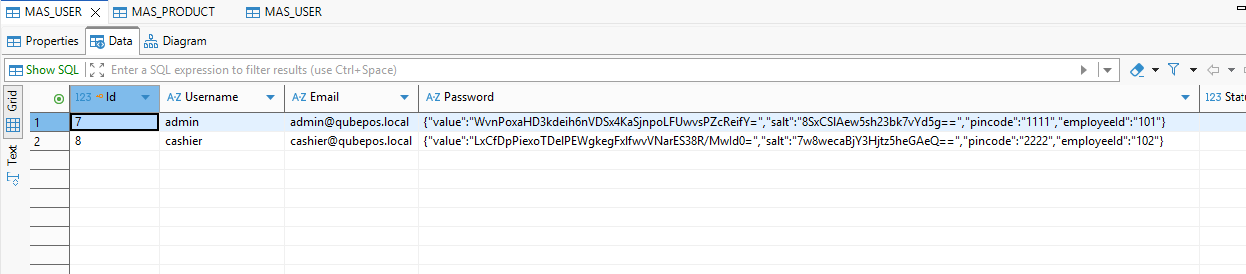
| pincode.png (24.2 KB) pincode.png | database value | ||
| pincode UI.png (53.2 KB) pincode UI.png |
Updated by Kyle Chong 3 months ago · Edited
- Status set to New
- Subject set to Implement offline cashier login
- Tracker set to Development
- Priority set to Medium
- Parent task set to #7131
- % Done set to 0
Issue created
Updated by Kyle Chong 3 months ago
- Subject changed from Implement offline cashier login to Touch Screen Login
- Description updated (diff)
Updated by Chong Yit Ren 3 months ago
- Due date set to 01/09/2026
- Start date set to 31/08/2026
Updated by Chong Yit Ren 3 months ago
- Due date changed from 01/09/2026 to 02/09/2026
Updated by Chong Yit Ren 3 months ago
- Status changed from New to Dev In Progress
Updated by Chong Yit Ren 3 months ago
2-step numpad flow: Employee ID (3 digits) → PIN (4 digits)
Reuses AuthService directly — same lockout, Status check, session creation as normal login
PIN/Employee ID stored as extra fields inside the existing Password JSON (no schema change), plaintext by design (convenience credential, not primary security)
Removed original user-picker grid — showed all usernames pre-login, a real security issue (enumeration, staff privacy)
Known gaps: lookup not indexed (fine for small teams, not hundreds of users)
Updated by Chong Yit Ren 3 months ago
- File pincode.png pincode.png added
- File pincode UI.png pincode UI.png added
Updated by Chong Yit Ren 3 months ago
- Status changed from Dev In Progress to Closed
- % Done changed from 80 to 100
- Complete Date set to 01/09/2026